Earth and scenes
A globe of your taste. Columns rise wherever it lives in a city, and any spot opens its own scene.
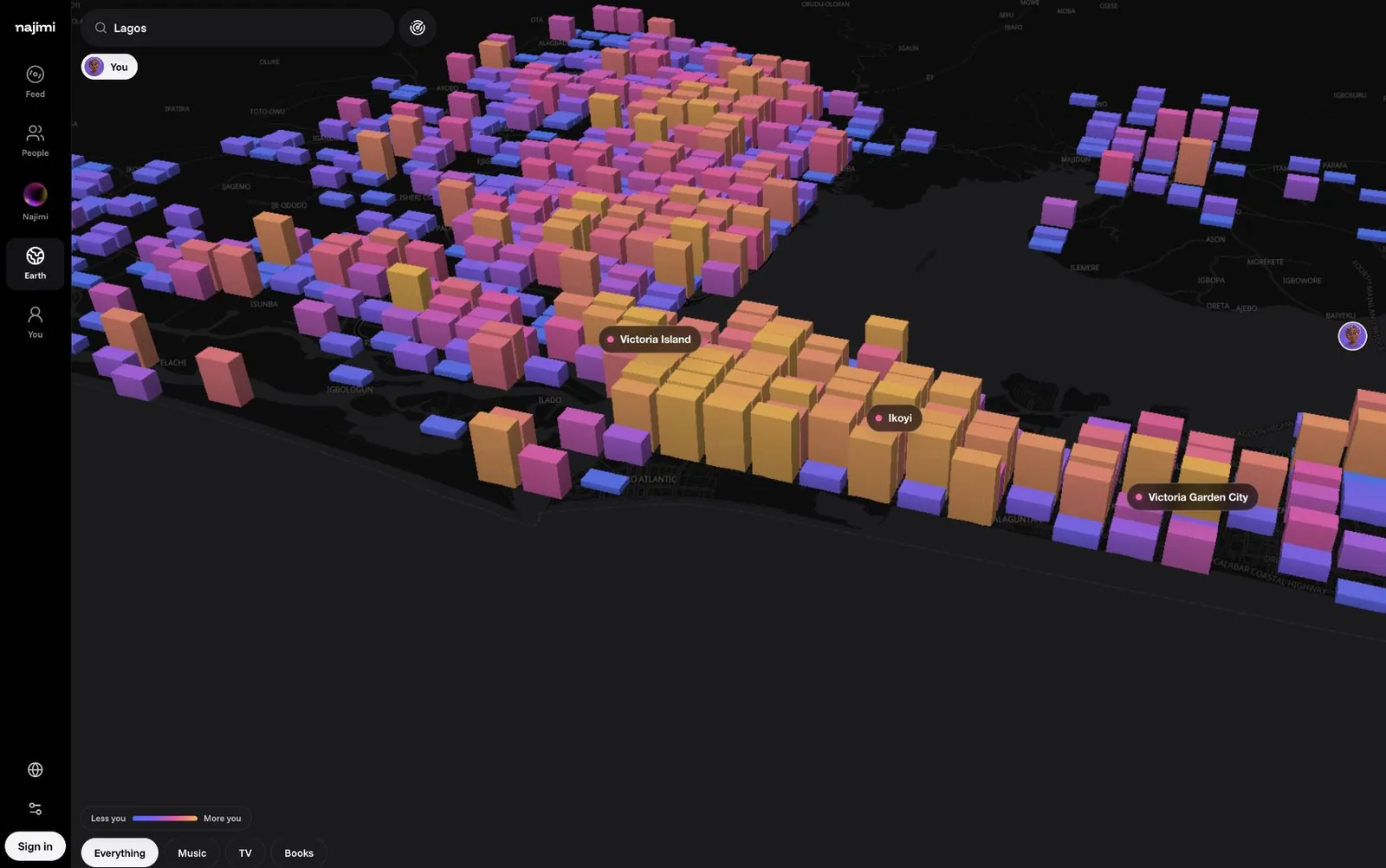
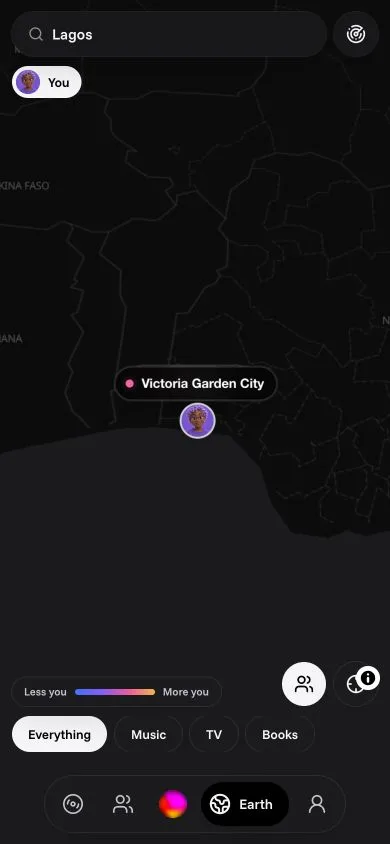
Tap Earth. The globe flies to your city and raises a column on every small square of the map where your taste lives: taller and warmer where it's stronger. The strongest areas get their names. It's Qloo's heatmap of your taste, the same one behind your profile's Your people line.
Change what you're looking at
- Lens: your taste, a friend's, or a circle's (everyone's loves blended so each person counts the same). You can only use a lens on a taste you're allowed to see.
- Kind: everything, or just music, places, TV, film, brands, books, podcasts or games.
- City: search any city; Back to the city returns you.
- Your people on the globe: public people with a city, placed near their city (never at an exact spot).
A spot's scene
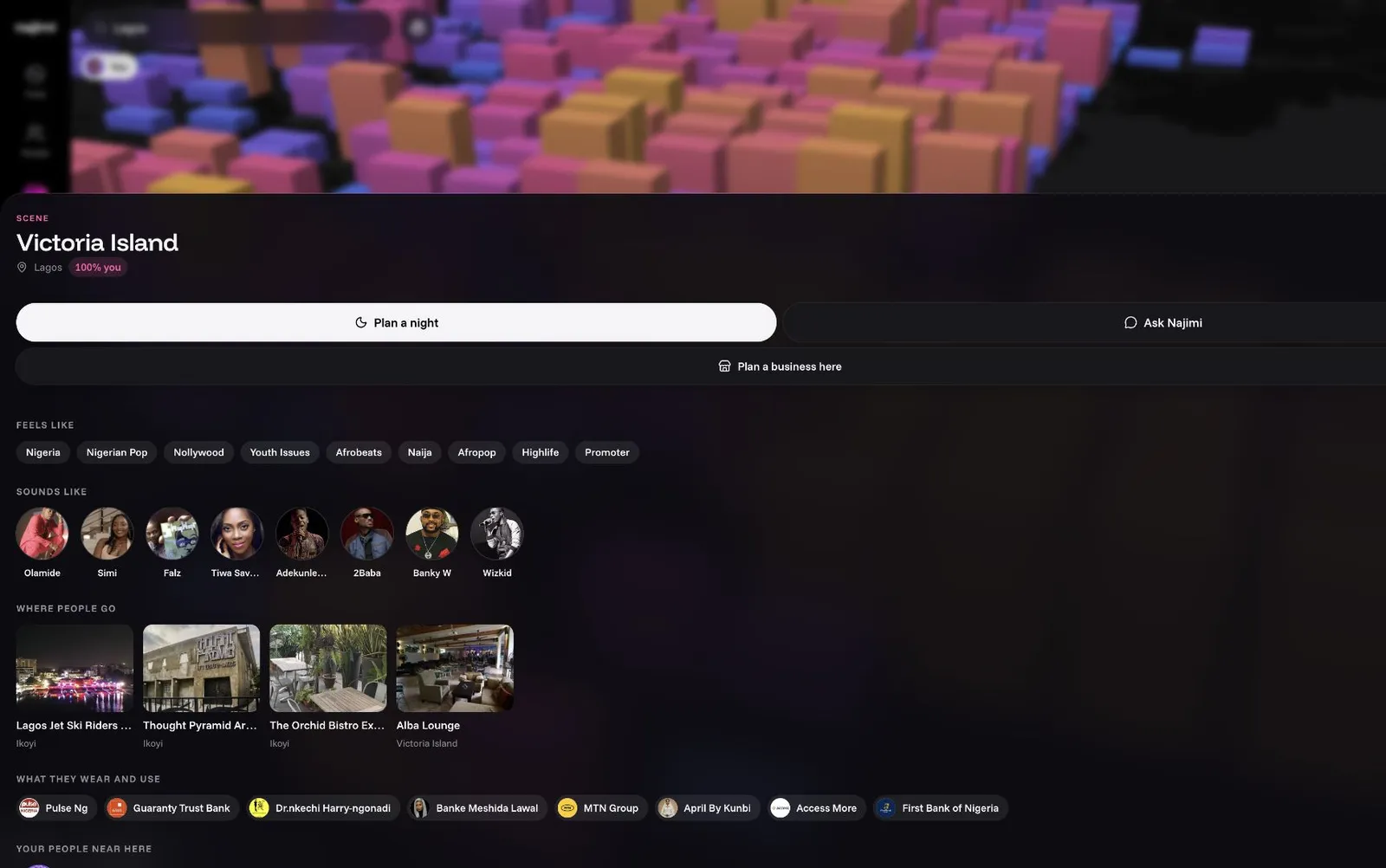
Tap a column or a named area and its scene opens: the taste of the people around that spot, read from Qloo with nothing but the location as the signal.
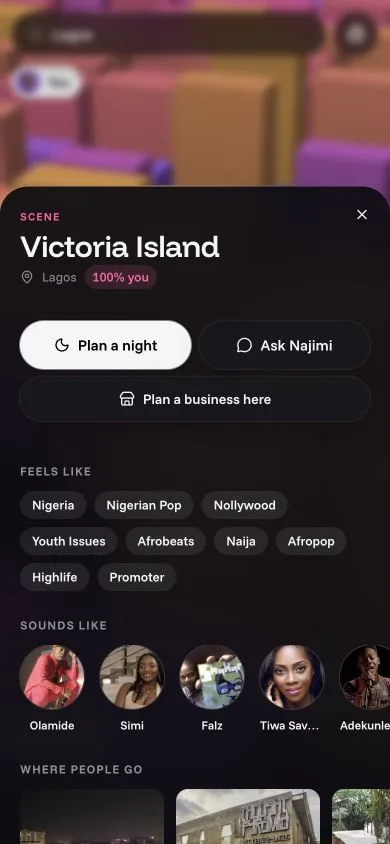
- How much it's you, as a percentage.
- Feels like: its words. Sounds like: its artists. Where people go: its places. What they wear and use: its brands.
- Your people near here, with how far they are.
- Three buttons that hand the spot to Najimi: Plan a night there, Ask Najimi about it, or Plan a business here.
The radar
The radar button puts you in the middle of rings: the people on Najimi whose taste is closest to yours on the inner rings, and public figures Qloo predicts for you on the outer one. Only people who switched Show me on the radar on in Settings appear; it isn't limited to people nearby.